Showing posts with label Hardware. Show all posts

Mir is a powerful display server that can meet your IoT display requirements

IoT is one among the hot discussion topic in these days. It changes the way in which we communicate with the devices surrounding us. The majority of IoT devices use sensors and other actuators to interact with people. While there is a class of devices which requires a graphical display to communicate with people.

Linux is the most popular operating system chosen by IoT manufacturers and researchers to build IoT devices.  When we use Linux on IoT devices, we have handful choices. It includes selecting a complete display server to custimizing a simple toolkit. The Mir server is a display server that can be used a variety of devices.


In a blog post, Mr. Jamie Bennet explores the pros and cons of Mir server as a graphical solution for IoT devices.
The IoT promises to bring about a revolution in the way we interact with devices around us. While many IoT devices will be hidden away, from sensors that measure manufacturing tolerances in a factory to hubs that control lighting around the home, there are a class of devices that need to provide some sort of graphical output or display to the user. Some examples include digital signage, interactive kiosks, automotive in-car entertainment gateways, smart meters, and the plethora of display screens seen on everything from washing machines to smart thermostats. All of these examples need some way to output graphics to a screen display but in an embedded environment that is not always easy.

Linux is one of the most popular OS choices for manufacturers and solution providers to use in IoT devices and with it there are a few options available for graphical environments. From custom software to drive the display, through direct frame buffer access with toolkits such as QT, to a full X windowing server. All of these options have their pros and cons and often it is a trade-off between custom software and off-the-shelf components to speed up development. Custom software takes time and requires developers to continue to maintain a code base for the lifetime of the device, while using a graphical toolkit such as QT requires less code but comes with commercial licencing. The open source X windowing server is a popular choice but, being over 30 years old, has some shortcomings. It has been well documented that the design of X windows, although revolutionary at the time, has some security risks especially around application isolation and privilege escalation which has led to efforts to replace it by redesigning the graphical server from the ground up. One such effort is Mir.
You can read the complete article in Ubuntu blog

Station X introduces Manjaro powered Spitfire laptop

In collaboration with Manjaro team, Station X, a specialized Linux laptop/Desktop vendor has announced Spitfire Manjaro Special Edition. Spritefire Manjaro Edition laptop will be powered by fully hardware tuned versions of Manjaro Xfce flag ship edition, which comes with intricate kernel tweaks, to streamlined settings, and even custom changes to battery, cpu, and sound settings..etc


Powered by 7th generation Intel processors, Spritfire is one among the sleekest laptops available in the market. It's memory can be expanded up top 32 GB. In order to provide a good combination of hardware and software, Splitfire laptop model has undergone serious changes, and in combination with fine tuned Manjaro Xfce edition, it is expected to give ultimate user experience.

The key features of Spitfire Manjaro Special Edition includes:
  • 7th Gen Intel® Core™ CPUs (i5-7200u or i7-7500u)
  • INTEL® HD GRAPHICS 610/620
  • Backlit Keyboard
  • Silver Aluminium Chassis
  • DDR4 Memory Support up to 32 GB of RAM
  • Ultra thin: just 17.8mm!
  • Full HD IPS 1920 x 1080
  • SuperFast SSDs (up to 500 GB)
  • SuperSpeed USB 3.0
  • HDMI Output Connection
  • Mini Display Port
  • 1.0MP Webcam
  • Wireless Fitted as Standard
Spitfire laptops are not currently available for purchase. However, by 13th of October, Manjaro team will open counter for pre-order in a dedicated hardware section of their website. It is planned to ship first batch of laptops by end of October.

Nimbusoft brings laptops with Ubuntu Budgie #lovemyUB

The Ubuntu Budgie team in collaboration with Nimbusoft has announced launch of GNU/Linux laptops with preloaded Ubuntu Budgie. These laptops will help to demonstrate true potential and strength of Ubuntu Budgie. Because when the hardware configuration is known in advance, it is possible to make operating system completely compatible with it.


As the beginning of collaboration, Nimsoft has introduced 3 models preloaded with Ubuntu Budgie. These are Bellona, Jupiter and Juno. These laptops have prices ranging from 499.99 EUR to 799.99 EUR.

Bellona – Ubuntu Budgie Edition
From: £799.99

At under 25mm thickness, and featuring the powerful Nvidia® GeForce™ GTX 950M graphics card, Bellona is a mighty powerful laptop that is great for developers, video editors and creative professionals. Featuring a backlit keyboard and Sound Blaster™ Cinema 3, Bellona is packed full of features and running Ubuntu Budgie out of the box.

Juno – Ubuntu Budgie Edition
From: £499.99

Designed for battery life and portability, Juno is an elegant Linux laptop based on Intel® Kaby Lake Processor technology. Featuring a slim 22.2mm design and weighing just 1.8Kg, this laptop is feature rich and running Ubuntu Budgie out-of-the-box.

Jupiter – Ubuntu Budgie Edition
From: £699.99

Jupiter is an elegant All-in-One desktop running the stunning Ubuntu Budgie operating system and featuring a full HD display with high quality sound. It has been designed around style and boasts a stylish aluminium "L" stand. Supporting the latest Intel® Core™ Processors and with powerful Intel graphics, Jupiter is a powerful All-in-One desktop PC. Linux has never looked so good on the desktop. 

Purchasing Nimbusoft laptop with Ubuntu Budgie

Since it is just the beginning, Ubuntu Budgie laptops are currently available only in Europe. You can either visit the hardware vendor shop either through Ubuntu Budgie store or directly.

When you make an order, please make sure that, default operating system is chosen as Ubuntu Budgie. While purchasing, you may also specify the super key on which you would like to included Ubuntu Budgie logo.

Running Arch Linux on a Lenovo Yoga 900

Over the years GNU/Linux operating system has grown to support a wide range of hardware devices. Also, there are some companies like system 76 who mainly focus on building GNU/Linux powered laptops. Most of the big players like HP, Dell, Lenovo has introduced few special laptops to attract GNU/Linux enthusiasts.


The keithcu has published an interesting article which takes us for a journey of running Arch Linux on a Lenovo Yoga 900, a modern laptop introduced by Chinese multinational technology company. This article can be seen as a hardware view. It starts the journey by mentioning source and price of the laptop and explains about different components of laptop in detail. Also it covers compatibility of the laptop with GNU/Linux operating system by taking Arch Linux as an example. Also, he has experimented with some Arch derivatives like Antergos and Manjaro.

I find Gnome classic a streamlined experience. I wish it wasn’t written in the clunky fad Javascript, and they re-enabled a community around custom themes and color schemes. It’s also still missing some nice features from Gnome 2 and Windows 10, and could be a bit more stable. Gnome 3.0 in 2011 was a step backwards, but six years later we’re up to Gnome 3.22, and things are mature again.

Gnome Classic is one of the best GUIs, but there are a number of good ones and all are getting better. This machine is working quite well now and I’m just going to sit back and keep waiting for the HiDPI and other improvements! I’m looking forward to deep learning inside the grammar checker of LibreOffice.
Read full article on keithcu's blog.

The Meizu Pro 5 - Ubuntu phone - best phone for linux enthusiasts : Review

Ubuntu - World's mostly widely used open source operating system is relatively a new player in emerging smart phone technology. It was a couple of years ago, Canonical announced their plan to concentrate on smart phone technology also. Since then, Canonical has unveiled a few phones featuring Ubuntu as core operating system. Similar to the Unity Desktop introduced by Canonical, these phones has also acquired mixed responses over the years.

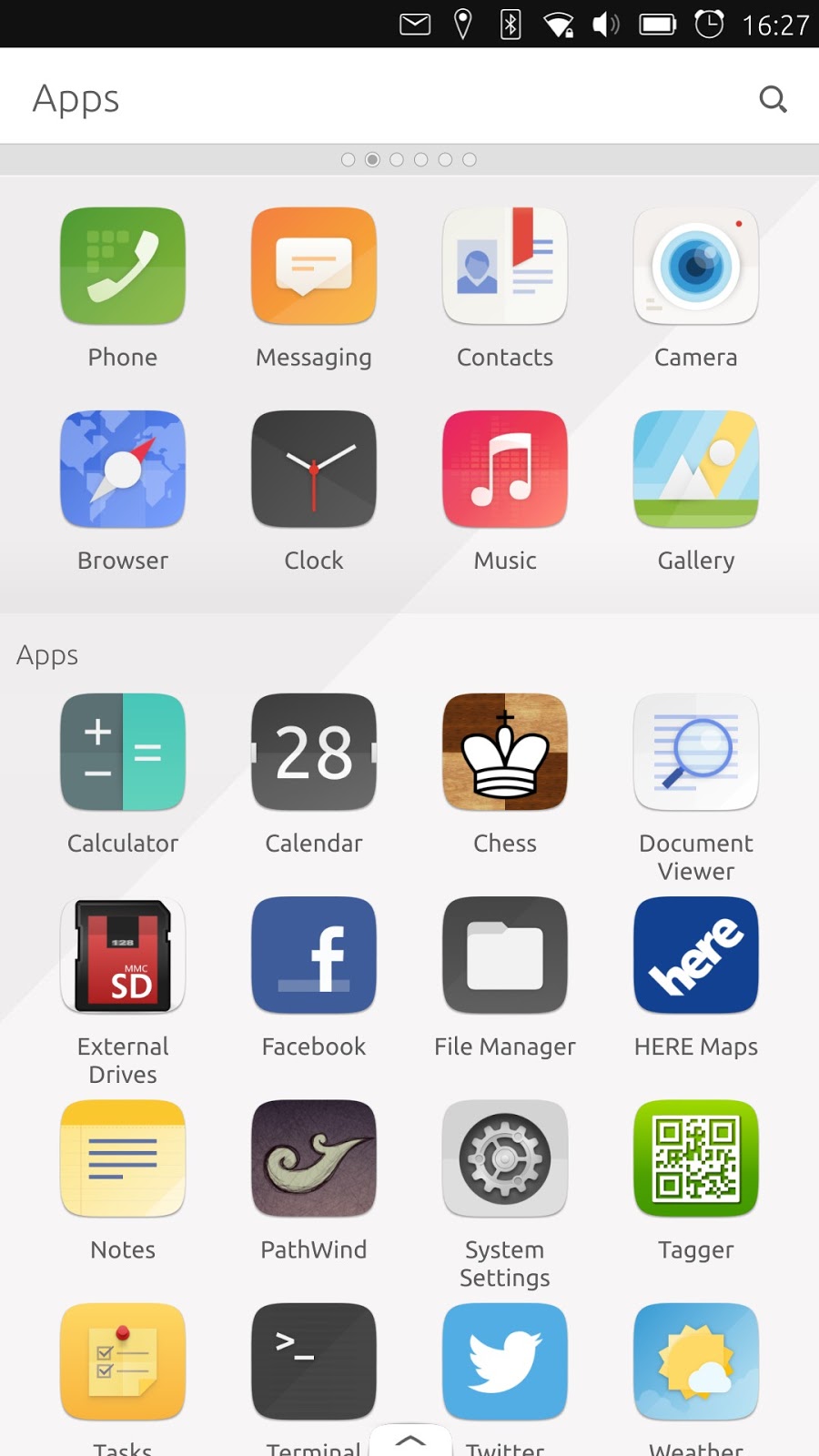
Latest issue of distrowatch weekly(31st July 2016) features a detailed review of Meizu Pro 5 a smart phone featuring Ubuntu. This review covers different aspects like scopes, applications, calling and messaging quality, battery backup, ease of use, performance, device quality ..etc. Finally, reviewer concludes that Meizu Pro 5 with Ubuntu is best choice of phone for linux enthusiasts and it has excellent set of features with good quality. However, he remarks that, the phone may fail to satisfy non-linux people.


Prior to receiving the Ubuntu phone, I looked up a handful of reviews (six in total) and demonstration videos to see what other people thought of the Meizu Pro 5. All the reviews I read focused on four things: camera quality, interface performance, number of applications and battery life. None talked about how well the phone worked as a phone and I started to wonder if any of the reviewers had placed a call or used their device for texting. Few talked about how scopes compare to applications. This is one of the reasons I wanted to test the Ubuntu-powered phone for myself. I mostly use my phone for communication, and occasionally looking up information in a web browser. I'm not a heavy app user*; I have a desktop computer for applications and a phone for communications. Each Android phone I have used for calls, especially to businesses, has offered an unpleasant experience because the number pad rarely works properly. This makes it hard to navigate computer-run answering services. Half the time my Android devices have been unable to hang-up properly. My biggest issue with Android is it feels like an app platform rather than a communications tool. If Ubuntu could solve that problem, I would be willing to overlook a lot of other issues.
You can read complete review in distrowatch weekly.

Firefox OS will power new Panasonic DX900 UHD TV

Panasonic announced that, Firefox OS will power their newly unveiled Panasonic DX900 UHD TVs. This will be world's first LCD/LED tv in the world with Ultra HD Premium specifications.


From a news article published in Mozilla blog.
Panasonic TVs powered by Firefox OS are already available globally, enabling consumers to find their favorite channels, apps, videos, websites and content quickly and pin content and apps to their TV’s home screen.

Mozilla and Panasonic have been collaborating since 2014 to provide consumers with intuitive, optimized user experiences and allow them to enjoy the benefits of the open Web platform. Firefox OS is the first truly open platform built entirely on Web technologies that delivers more choice and control to users, developers and hardware manufacturers.

Find more information in Mozilla blog.